

Use Case: How to Build a Centralized FOIA Email Archive for US County Governments
Modernizing public records management requires an intelligent system capable of mapping fragmented communication streams into a centralized, legally-searchable Message Store.
In the United States, the Freedom of Information Act (FOIA) and state-level ‘Sunshine Laws’ mandate that county governments provide public access to official records, including emails. Failing to produce these records accurately and within strict statutory deadlines (often 5–20 days) can result in costly litigation, fines, and a loss of public trust.
By leveraging ThinkAutomation’s Web-Based Message Store, County organizations can move beyond individual PST files and utilize a unified interface to handle the high volume of email data required for public transparency.
Learn more about Email Archive & Search
The Hidden Cost of the Manual Public Record Archiving
Despite these high stakes, most US counties are still relying on heavily manual processes to fulfil public records requests. Clerks often find themselves acting as IT investigators – hunting down individual PST files, requesting ad-hoc access to disparate department inboxes, and combing through irrelevant email threads by hand. This manual approach introduces severe security vulnerabilities. Exporting, emailing, and moving raw PST files across internal networks increases the risk of accidental data leaks and chain-of-custody breaches.
By making the switch to automated email archiving, counties can reclaim thousands of administrative hours each week while virtually eliminating the risk of manual oversight.
How to Address the Challenge of Fragmented Records & Compliance Risks
Traditional government email management often fails due to three primary technical hurdles:
1. The “Siloed Inbox” Problem
Emails are scattered across various departments (Sheriff, Elections, Tax Office) and platforms (Office 365, Gmail, legacy IMAP). Finding a single thread for a FOIA request often requires manual access to dozens of individual mailboxes.
2. Data Sovereignty & Hosting Risks
Processing sensitive government communications through third-party cloud-only archives introduces significant compliance risks. Many counties require Data Residency, ensuring that public records stay on-premises or within a private government cloud.
3. Search Latency in Discovery
Standard Outlook searches are slow and unreliable for large-scale discovery. Without a full-text indexed database, a single broad public records request can paralyze a Clerk’s office for weeks.

The Solution: A Secure, On-Premises Searchable Archive
To solve for how to automate email archiving, we deploy ThinkAutomation as the orchestration and storage layer. This configuration creates a Private & Secure Message Store where all communications remain within the County’s local infrastructure.
The 5-Step Technical Workflow for Email Discovery
1. Multi-Protocol Ingestion (Unified Visibility)
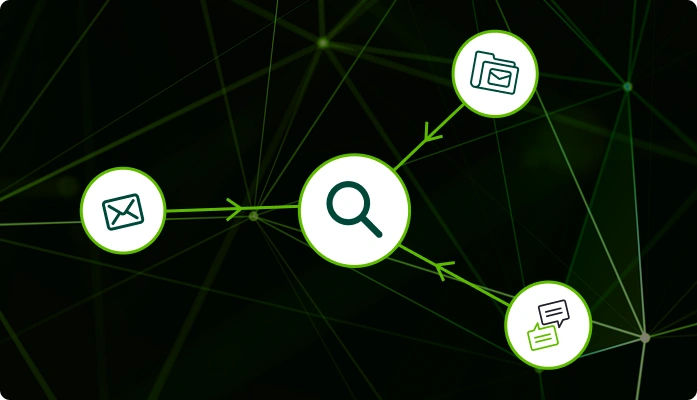
ThinkAutomation monitors all designated County accounts, regardless of the host – via IMAP, OAuth2, or Exchange Web Services. By creating a Message Source for each department, the system aggregates communications from Office 365, Gmail, and internal servers into a single SQL-based Message Store. ThinkAutomation’s email automation software can monitor multiple departmental mailboxes simultaneously, automatically capturing incoming communications and triggering the appropriate archiving and processing workflows.
2. Full-Text Indexing & Keyword Extraction
On the Solution Properties, we enable Extract and Save Unique Keywords. As emails are archived:
- The Index: ThinkAutomation strips and indexes unique words from the body text, sender, and subject.
- The Payload: This metadata is saved alongside the message, enabling “Google-like” search speeds across millions of records.
3. Centralized Message Store Governance
The system is configured with a high “Keep Message For” value to ensure permanent retention. Unlike SaaS providers that charge “per-mailbox,” ThinkAutomation’s fixed-price model allows the County to scale the archive indefinitely without budget spikes.
4. Secure Web-Based Discovery Portal
ThinkAutomation provides a built-in Web Message Store Viewer.
- Access Control: The portal is restricted via ThinkAutomation User Accounts, ensuring only the Records Clerk or Legal Team can perform searches.
- Flexible Deployment: The viewer is accessed via a local IP for internal security or a secure Public URL (via ThinkAutomation Gateway) for remote legal counsel.
5. Deterministic Search & FOIA Export
When a request is filed, the clerk uses the web-form to search by keyword, date range, or attachment name.
- Results Grid: All matching emails across all accounts appear in a single, paginated grid.
- Verification: The clerk can click any line to view the full message history and download attachments directly from the browser, ensuring a rapid, “Good Faith” response to legal mandates.

Supercharging Discovery with Safe, Built-In AI
To further eliminate manual review time, ThinkAutomation integrates powerful AI capabilities directly into the search process. While public AI models pose massive data privacy risks for government entities, ThinkAutomation allows you to utilize AI safely.
Because ThinkAutomation processes your data locally, clerks can leverage AI to intelligently parse and search through massive datasets without ever exposing sensitive government communications to external, public language models.
You get the unparalleled analytical power of modern AI, capable of understanding context, summarizing threads, and finding relevant data beyond exact keyword matches, all kept strictly within your own secure environment.
Learn more about AI Automation
Why ThinkAutomation is the Way for County IT
Private Data Ownership
Messages are stored locally on your own hardware. You are not reliant on a third-party host for your legal compliance.
Multi-Account Consolidation
Search the Sheriff’s office and the Treasurer’s office from one single screen.
Customizable Interface
The web viewer HTML templates can be customized (via _custom.html files) to include County branding or specific legal disclaimers.
Compliance Ready
Provides a reliable, immutable record of all processed communications for auditing and litigation hold requirements.
Email Archive & Search Implementation Strategy
Learning how to automate public records shouldn’t require a dedicated DevOps team.
ThinkAutomation utilizes a low-code platform where IT teams define triggers and search parameters through a visual interface. This ensures the archive is maintainable, auditable, and easily updated as retention laws evolve.
To learn how ThinkAutomation could transform your achiving proceeses, schedule a discovery session with out technical team.
Arrange FREE trial.