

A Complete Guide to Business Automation Software
Businesses today are under constant pressure to do more with less. Faster operations, fewer errors, better customer experiences, higher profit margins with a static head count. Business automation software can be the solution.
In this guide, we break down what it is, how it works and why it’s quickly becoming essential for modern organisations. If you’re exploring tools like business process automation software or looking to streamline your workflow automation, this is your ideal starting point.

What is Business Automation Software?
Business automation software refers to digital tools designed to automate repetitive, rule-based tasks and processes across an organisation. Instead of relying on manual effort with spreadsheets, emails and disconnected systems, automation software handles these tasks automatically, following predefined rules and workflows.
At its core, business automation is about replacing repetitive work with intelligent systems that:
- Move data seamlessly between systems
- Trigger actions based on conditions
- Route tasks to the right people
- Ensure processes run consistently
This can apply to everything from finance and HR to customer service and sales.
If you’re exploring how automation works in practice, see our real-world examples of business process automation
What is Business Process Automation Software?
While the terms are often used interchangeably, business process automation software (BPA) focuses specifically on automating entire business processes, not just individual tasks, whilst workflow automation focuses on automating the sequence of tasks within a process.
A “process” is a series of steps that achieve one business outcome.
For example:
- Processing an invoice
- Onboarding a new employee
- Managing a customer support request
BPA software connects steps into a seamless, automated flow, reducing manual input and ensuring consistency across the organisation.
It enables businesses to build, manage, and optimise workflows, improving efficiency and reducing delays caused by manual handling.

What is Workflow Automation?
Workflow automation is a key component of business automation and as mentioned above, it focuses on automating the sequence of tasks within a process ensuring that each step happens in the right order, at the right time, with the right data.
For example, in a typical workflow:
- A form is submitted
- Data is validated automatically
- The request is routed for approval
- Notifications are triggered
- The system updates records
Instead of chasing emails or manually updating systems, workflow automation ensures everything flows seamlessly in the background.
How Does Business Automation Software Work?
Most business automation platforms operate using a combination of:
-
Triggers
Events that start a workflow (e.g. a new lead, submitted form, or a received invoice).
-
Rules & Logic
Conditions that determine what happens next, e.g. “if value > £10,000, send to Nicky S for approval.
-
Actions
Automated steps such as sending emails, updating records, or assigning tasks.
-
Integrations
Connections between systems (CRM, ERP, finance tools, etc.) to ensure data flows freely.
This creates a fully connected ecosystem where processes run automatically without constant human input.
Key Benefits of Business Automation Software
-
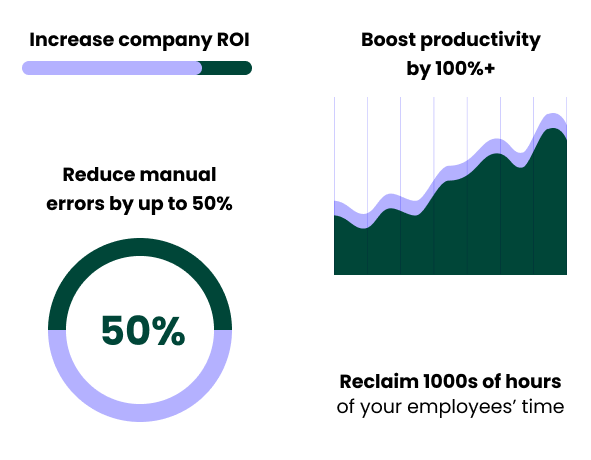
Increased Efficiency and Productivity
Automation removes repetitive manual tasks for humans, allowing teams to focus on higher-value work.
-
Reduced Errors
By standardising processes and eliminating manual data entry, automation significantly reduces human error.
-
Cost Savings
Fewer mistakes and less manual effort translate into lower operational costs over time.
-
Improved Visibility and Control
Automation platforms provide real-time insights into workflows, helping businesses identify bottlenecks and optimise performance.
-
Enhanced Customer Experience
Faster response times and more consistent service both improve customer satisfaction.
-
Improved Compliance and Risk Management
The creation of standardised processes ensures that all actions adhere to regulatory requirements (e.g., GDPR). Tamper-proof audit trails can be built to reduce risk.
-
Enhanced Collaboration
Automated workflows reduce frequent, manual email updates between teams and departments and help smoother, collaborative working.
-
Scalability
Automated processes can easily handle increased workloads without needing to increase team sizes.
Common Use Cases for Business Automation
Business automation software can be applied across nearly every department.
Finance automation: invoice processing, expense approvals, financial reporting
HR Automation: employee onboarding, holiday and leave requests, payroll workflows
Sales & Marketing: lead nurturing, campaign automation, CRM updates
Operations: order processing, inventory updates, supplier management
Design & Creative: resizing images, managing approvals, file organisation
Customer Support: support ticket routing, automated responses, SLA tracking
Types of Business Automation Software
There are several categories of automation tools, including:
-
Workflow Automation Tools
These focus on task sequencing and process flows.
-
Business Process Management (BPM) Software
Provides end-to-end process modelling and optimisation.
-
Robotic Process Automation (RPA)
Uses “bots” to mimic human actions across systems, particularly for repetitive, rule-based tasks.
-
Low-Code / No-Code Platforms
Allows non-technical users to build automation workflows with visual interfaces.
When Should a Business Invest in Automation?
If your organisation is experiencing any of the following, it’s likely time to consider business automation software:
- Repetitive manual tasks slowing teams down
- Frequent human errors or inconsistencies
- Lack of visibility into processes
- Bottlenecks caused by approvals or handovers
- Difficulty scaling operations
Automation is no longer just for large enterprises because modern tools make it accessible to businesses of all sizes.
How to Choose the Right Business Automation Software
Not all platforms were created equal. When evaluating solutions, it’s wise to look for:
- Ease of use (low-code or no-code capabilities)
- Integration capabilities with your existing systems
- Scalability as your business grows
- Customisation to match your processes
- Reporting and analytics for improvement monitoring
Final Thoughts
Business automation software is more than just a productivity tool, it’s a strategic enabler. By automating processes and workflows, businesses can reduce costs, improve accuracy, and create more efficient, scalable operations.
For organisations looking to bridge the gap between manual processes and digital transformation, business process automation software offers a clear path forward, turning fragmented workflows into streamlined, intelligent systems.
Solutions like ThinkAutomation are designed to help organisations map, automate and optimise these processes, turning manual workflows into scalable, efficient systems.
Test the platform FREE for 30 days now.