

BPA vs. RPA vs. Workflow Automation: What’s the Difference?
BPA vs. RPA vs. Workflow Automation: What’s the Difference?
The world of digital is transforming all the time, especially for companies looking to streamline operations. If you’re currently exploring automation options you’ve more than likely heard of business process automation (BPA), robotic process automation (RPA) and workflow automation; but what’s the difference between them?
At first glance they may seem like the same thing but phrased differently. Using the wrong type of process can be frustrating and inefficient.
Here at ThinkAutomation, as experts in automated software, we believe you should use the right process for the right task. Our latest blog will give you a breakdown of the differences between BPA, RPA and workflow automation, and how you can utilise all of them for your business requirements.
Meet Your Business Goals with BPA, RPA and Workflow Automation
Organisations can accelerate growth and streamline operations with a combination of business process automation, RPA and workflow automation as part of a unified strategy.
By automating repetitive tasks, integrating disparate systems, and orchestrating end-to-end workflows, ThinkAutomation helps to reduce manual effort, minimises errors and helps you keep on top of customer demands.
A hybrid automation engine blends rule-based processing, message parsing, API integrations, with bots executing tasks which allows teams to automate everything from data entry and notifications to more complex multi-step processes. The result is an automation ecosystem which can evolve as your business grows, freeing up employees to focus on higher-value work, whilst improving operational consistency.
What is Workflow Automation?
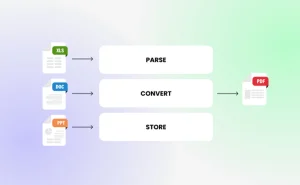
Workflow automation is the process of using software to design and execute a series of tasks that follow a defined set of rules. These workflows usually span multiple steps, which include evaluating conditions, routing data, sending notifications, or updating systems. Workflow automation ensures that routine processes run consistently and efficiently, without the need for manual intervention. Organisations can streamline everyday operations such as approvals, alerts and data movement.
What is Business Process Automation (BPA)?
Business Process Automation (BPA) focuses on improving entire end-to-end processes across a whole organisation, not just individual tasks. BPA analyses how a process works, identifying inefficiencies and then using automation to redesign and orchestrate the full sequence.
This includes integrating multiple systems, enforcing business rules, standardising data flows whilst remaining compliant. Complex processes such as onboarding, order management, customer, finance operation and compliance workflows will often employ business process automation with the aim of reducing manual effort, increasing accuracy and creating simple, repeatable processes.

What is Robotic Process Automation (RPA)?
Robotic Process Automation (RPA) uses software ‘robots’ to mimic the actions a human would take when interacting with digital systems. The bots can click buttons, enter data, copy information between applications and follow structured rules for completing repetitive tasks. RPA proves extremely useful when systems don’t have APIs or easy integration points, as the bots can work directly through the user interface.
Tasks such as data entry, form processing, report generation and system reconciliation commonly use RPA, as this high-volume, rules-based work doesn’t need human judgement.

The Differences Between BPA, RPA & Workflow Automation
Here is a breakdown of the specific difference between BPA, RPA and Workflow Automation:
| Feature / Aspect | Business Process Automation (BPA) | Workflow Automation | Robotic Process Automation (RPA) |
|---|---|---|---|
| Primary Focus | End‑to‑end business processes | Task sequences & routing | Mimicking human actions on a UI |
| Scope | Broad, cross‑department | Mid‑level, task‑based | Narrow, task‑specific |
| Level of Automation | Strategic & holistic | Operational | Tactical & repetitive |
| Typical Use Cases | Onboarding, order management, finance processes | Approvals, notifications, task routing | Data entry, screen scraping, form filling |
| Tech Approach | Integrations, rules engines, APIs | Workflow engines, triggers | UI automation, bots |
| Human Involvement | Often includes human steps | Often includes approvals | Minimal — bots replace human clicks |
| Best For | Transforming entire processes | Streamlining task flows | Automating repetitive manual tasks |
| Limitations | Requires planning & design | Limited to defined workflows | Breaks easily if UI changes |
| ThinkAutomation Fit | Orchestrates multi‑system processes | Automates workflows & triggers | Complements or replaces RPA for data‑driven tasks |
How Can ThinkAutomation Support You
ThinkAutomation acts as a powerful, self-hosted automation engine that streamlines workflows, orchestrates business processes, handling large-scale data processing.
Our software monitors emails, databases, APIs, web forms and other message sources in real time, then uses low-code, event-driven logic to execute actions such as:
We eliminate manual data entry and reduce operational bottlenecks with built-in OCR, intelligent document processing and integrations on both cloud and on-premises systems.
With the option of running entirely on your own servers or a private cloud, ThinkAutomation supports strict compliance requirements while offering unlimited workflows, unlimited processing, and deep customisation for sales, support, finance, operations and IT environments.
Arrange Your Free Demo Today
If you want to transform your business and improve productivity, arrange your free 30-day trial of ThinkAutomation today.
FAQs
The main difference is how the software interacts with your data. Standard automation usually works via APIs, databases and direct file access. RPA works at the ‘surface level’, mimicking a human clicking buttons and typing on a screen. RPA is used with older legacy systems that don’t have modern connection points (APIs).
No. While RPA vendors often charge for every ‘bot’ you deploy, ThinkAutomation allows for unlimited automations and data processing under a flat license, making it a much appealing choice for high-volume BPA.
Yes. ThinkAutomation can act as the ‘brain’ (Business Process Software), handling the logic and API calls, and then trigger an RPA bot to perform a specific manual task in an old desktop application when no API is available.
No. RPA follows rules and mimics clicks and keystrokes. AI involves learning, reasoning, and decision-making. They can work together, but they’re not the same.